- Ideas
- Schedulers
-
 Ideas
Ideas

0
Completed
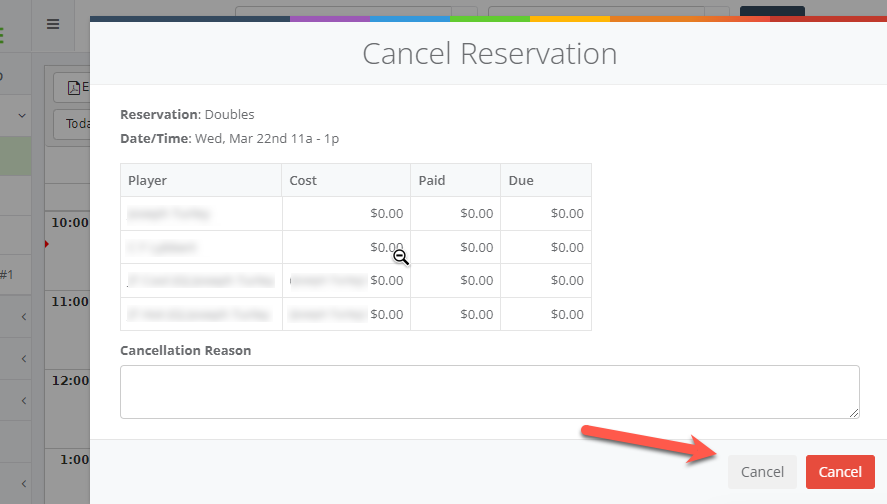
Which Cancel is the right one?
Path to get to this screen: Schedulers >> Expanded >> hover over "i" in upper left corner on reservation >> red "X"
Commenting disabled
Customer support service by UserEcho


Hi Fred,
We've identified this as a fix for our next release on April 11.
For now, use the RED button on the right to cancel the reservation.
The buttons after the release will says "Close" in grey on the left and "Cancel Reservation" in red on the right.
This project has been completed! Please review RELEASE NOTES - 4.11.23 for more information