- Ideas
- Events / Programming
-
 Ideas
Ideas

Event List event details/description access
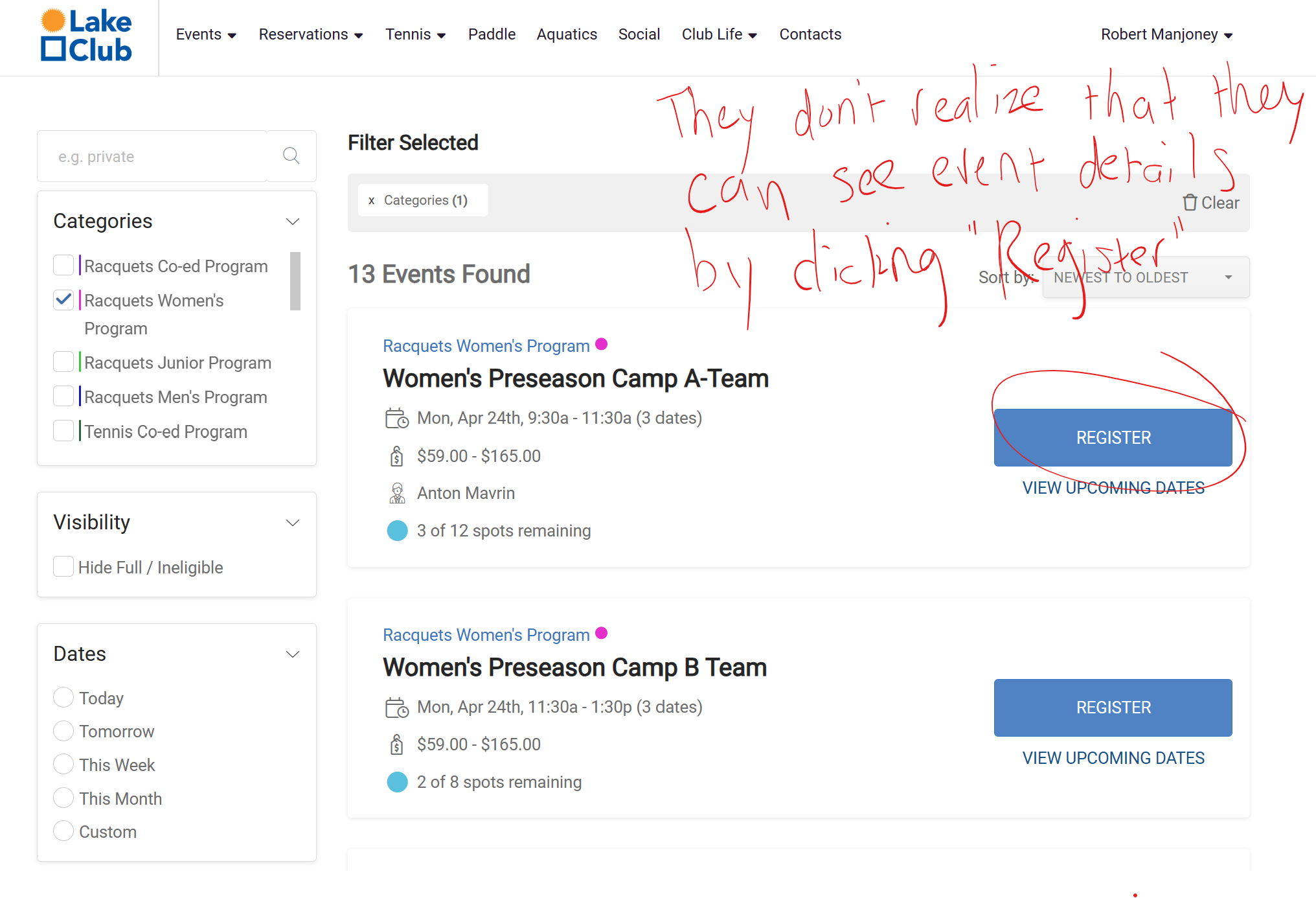
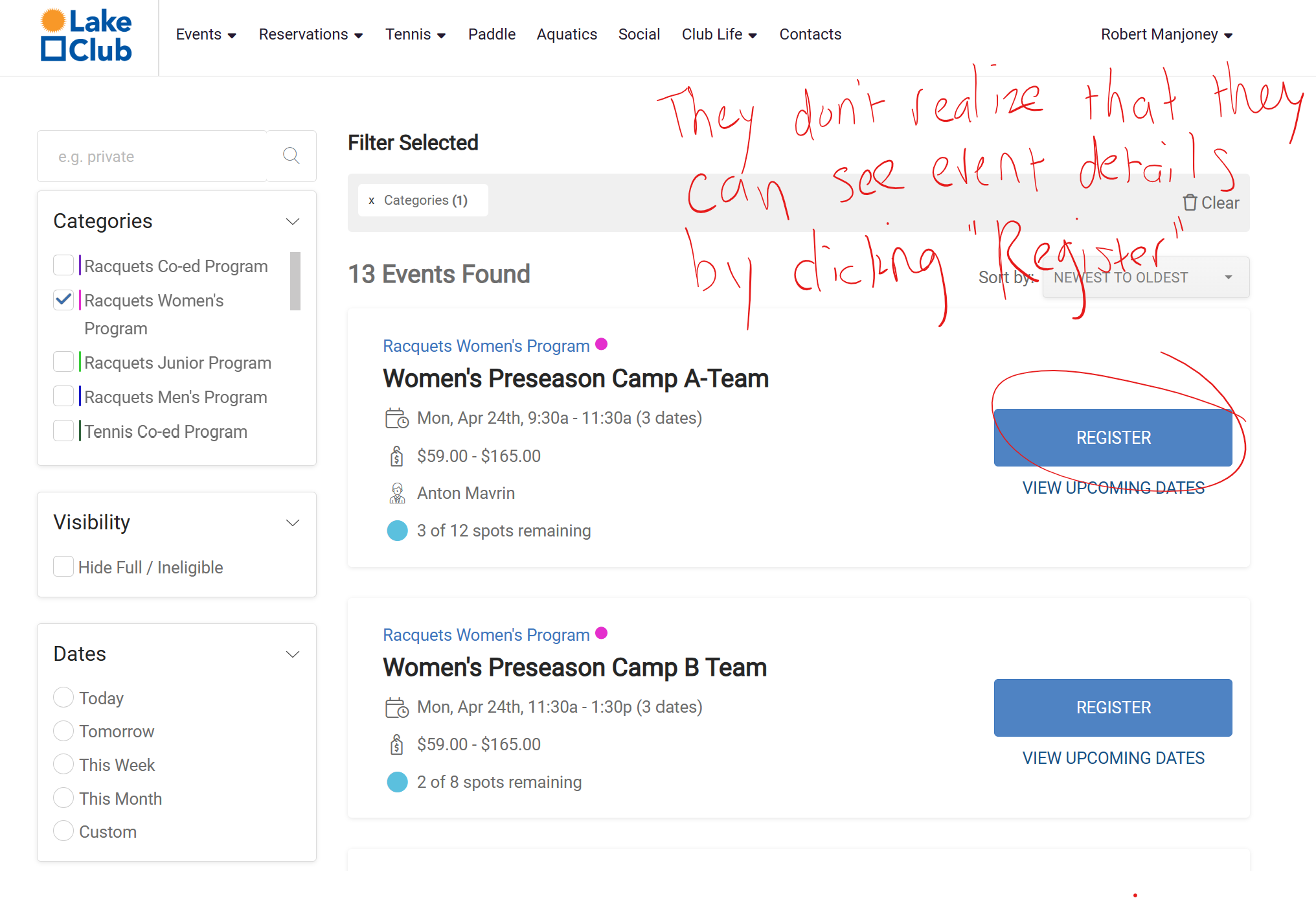
When Events are initially displayed in an Event List, prior to registration being open, the button is labeled "Details". Once the Event's registration is live/enabled, the button label changes to "Register".
This is a source of confusion for our members, since there is no obvious way for them to view an event's description/details - all they see for live events is an option to "Register", and they are reluctant to click on it, especially since they want to know more about the event itself before they commit to registering, and it's not obvious that clicking on that button will take them to the main event page with full details/description without actually registering.
A simple fix for this situation would be to change the button label instead of just reading "Register" to saying something like "Details/Register" so that they at least have a cue that they can click the button for more info without actually committing to registering.

Customer support service by UserEcho